AI
Roleplay
Practice with AI. Prepare for Reality.

What is SCORM? A Complete Guide for E-Learning Professionals

SCORM demystified for e-learning software products

Introduction to SCORM
All you need to know about SCORM LMS
An overview of experience API or xAPI
SCORM LMS can simplify your online learning process
Introduction to SCORM

What is SCORM?

Whenever you search for the best Learning management system, you must have read about SCORM compliance feature. As a layman, it isn’t easy to understand the exact meaning of this highly technical word SCORM.

SCORM is an acronym for the Shareable Content Object Reference Model. It is a technical specification or set of instructions that can be used to standardize the way eLearning courses are created called SCORM compliant courses.

You can easily share and reuse or run such eLearning courses across any SCORM compliant LMS.

Let simplify all this jargon and explain more about what is Shareable Content Object Reference Model? What is SCORM compliant LMS? How SCORM works? And more.

What does SCORM mean?

The word SCORM comprises two components: Shareable Content Object (SCO) and Reference Model (RM). To exactly understand the meaning it is necessary to understand these two elements:

Shareable Content Object:

This packaging content element decides how a piece of content should be physically delivered. The content which is created within SCORM is shareable and can be reused across multiple tools and platforms. It works the same as a standard plug works for all electrical devices, the SCORM compliant content understood by all compatible learning platforms and tools. When you creating eLearning courses with SCORM compliant authoring tools the output is as a Zip folder that contains all necessary information to publish and host the course on SCORM compliant LMS.

Reference Model:

The “RM” in SCORM is a specification or set of rules followed by eLearning professionals. It includes standards for packaging and describing content, how the LMS launches content, how content is communicated to the LMS, and how learners navigate from module to module.
The SCORM Run-Time specification states that the LMS should launch content in a web browser, either in a new window or in a frameset. All this communication happens in the context of a single attempt on a single SCO. Once the content is launched, it uses a well-defined algorithm to locate an ECMAScript API provided by the LMS.

How SCORM works

SCORM Versions 1.2 and 2004

The very first version of SCORM 1.1 was introduced back in 2001 which was a widely used version, SCORM 1.2 was released in the same year.

In 2004, SCORM 2004 1st edition and it’s 2nd edition was launched in 2004. Another most popular one widely used in the eLearning industry, the 2004 3rd edition of it, was released in 2006. The latest version of SCORM Experience API (xAPI), which is now on the verge of getting more popularity, was introduced in 2013.

Learn More – SCORM 1.2 vs SCORM 2004 – Which is Better?

Is SCORM mandatory for eLearning Courses?

If you want to upload eLearning courses in LMS, it is compulsory to have SCORM compliant course. It is required to make courses SCORM compliant to track the user’s progress and performance in LMS.
We can run SCORM compliant courses in any SCORM LMS without redesigning or recoding them. If you are not satisfied with your current LMS software, you can move to a new LMS vendor and easily migrate course content.

When was SCORM invented?

Today, it is the most widely used content standard in the eLearning industry. But, do you know who invented SCORM and why? To understand this it is essential to go through some glimpse of its history.
It was first created by the US government’s Advanced Distributed Learning (ADL) project in 2000 as a de-facto standard for eLearning content.
In the late 1990s, the US government has started using eLearning courses to deliver training to its various departments. These departments developed their eLearning courses supported by their LMS and can’t re-run the same courses in other LMS courses. This results in a lot of chaos and duplication as these departments were not working on the same methods. To end this problem, the eLearning content standard SCORM was developed in 2000.
All you need to know about SCORM Compliant LMS

What is a SCORM Compliant LMS (and Why It Matters More Than You Think)

A SCORM-compliant LMS can accept SCORM compliant content and allow users to access the content. You can easily upload SCORM compliant courses, and it will run those courses smoothly. It enables you to track the learners’ progress and learning activities.

Why SCORM Compliance Matters

  1. Interoperability and Flexibility

A SCORM compliant LMS allows content to be delivered and tracked across a wide range of platforms and systems. This ensures that organizations aren’t locked into a single eLearning platform, offering a much higher level of flexibility. As businesses adopt different tools over time, SCORM compliance guarantees that their content remains compatible, making it easier to switch or integrate new systems as needed.

  1. Standardized Tracking and Reporting

With SCORM compliance, tracking a learner’s progress becomes much easier and more consistent. The system records data such as the learner’s completion status, time spent on the course, and test results. This standardization of data collection provides valuable insights into the effectiveness of your training programs and helps you identify areas for improvement.

  1. Scalability Across Platforms

One of the most important features of SCORM compliance is its scalability. As organizations expand or change, SCORM ensures that the eLearning content works consistently across new systems and user environments. Whether learners are using mobile devices, tablets, or desktop computers, a SCORM-compliant LMS ensures the training content will work without issue, improving the overall learning experience.

  1. Reduced Costs

When an LMS is SCORM compliant, it cuts down on the costs associated with custom content integration. Rather than having to create content for each platform separately, SCORM enables the reusability of the content across various platforms and systems. It eliminates the need for duplication, saving both time and money for organizations, especially when scaling eLearning across multiple departments or locations.

How SCORM Impacts Learner Engagement

A SCORM compliant LMS doesn’t just benefit the administrator – it also improves the learning experience for users. SCORM ensures that the content can be delivered in a user-friendly, consistent manner, which increases learner engagement. Whether it’s through interactive simulations, assessments, or quizzes, SCORM keeps learners engaged by allowing them to seamlessly interact with the content across devices.

What to Look for in a SCORM Compliant LMS

When choosing an LMS, ensure that it offers robust SCORM compliance features. Look for an LMS that can:

  • Track and report learner progress accurately.
  • Offer seamless integration with third-party SCORM content.
  • Provide real-time feedback on learner engagement and performance.
  • Be easily scalable to adapt to evolving organizational needs.

Top Benefits of SCORM in eLearning Explained

SCORM (Sharable Content Object Reference Model) is widely used in eLearning to standardize the delivery and tracking of learning content across different Learning Management Systems (LMS). Here are the key benefits of using SCORM in your eLearning strategy:

1. Interoperability Across Platforms

One of the most significant advantages of SCORM is its ability to work across different platforms and devices. SCORM-compliant content can be uploaded, used, and tracked by any LMS that supports SCORM, allowing you to seamlessly integrate and share eLearning content between various systems. This eliminates compatibility issues and ensures that your content is accessible regardless of the platform used.

2. Standardized Tracking and Reporting

SCORM enables consistent tracking of learner progress, time spent on courses, quiz scores, and completion rates. This standardized data collection allows L&D teams to measure the effectiveness of training programs across different platforms and provides valuable insights into learner engagement. It ensures that you can track learner data in real time and generate detailed reports to analyze performance.

3. Reusability and Scalability

SCORM allows you to reuse content across multiple systems and platforms. Since SCORM packages are portable, you can easily share content without the need to recreate it for each new system or platform. This reusability saves time and money and makes it easier to scale training programs across multiple departments, locations, or even organizations. As your business grows, SCORM ensures that your eLearning content can grow with it.

4. Flexibility and Customization

SCORM offers flexibility in terms of content delivery and customization. Whether you’re delivering text-based content, interactive videos, simulations, or quizzes, SCORM allows you to design content that meets the specific needs of your learners. Additionally, SCORM lets you tailor learning experiences, such as offering different learning paths or content for various departments, job roles, or learner levels.

5. Seamless Updates and Content Maintenance

With SCORM, updating and maintaining content becomes easier. Instead of creating content from scratch every time a new update is needed, SCORM allows you to edit and replace files while retaining the tracking capabilities. This makes it easy to keep your content current and aligned with your organizational goals.

6. Cost-Effective Content Management

By allowing content to be shared across different LMS platforms and reducing the need for platform-specific content creation, SCORM helps reduce costs associated with content development. Additionally, SCORM helps streamline administrative tasks by centralizing learner data, making it easier to manage and maintain courses at scale.

7. Improved Learner Engagement

SCORM ensures that learners have a smooth, consistent experience across devices. By supporting interactive elements like quizzes, assessments, and multimedia, SCORM ensures that learning content is engaging and dynamic. This consistency in content presentation, combined with real-time tracking, helps keep learners engaged and motivated to continue their learning journey.

8. Streamlined Reporting and Compliance Tracking

SCORM allows organizations to meet industry standards and regulatory requirements by offering reliable data tracking for compliance-related courses. This ensures that organizations can demonstrate that their training programs are in line with legal requirements, such as compliance training for industries like healthcare, finance, and manufacturing.

9. Easy Integration with Third-Party Tools

SCORM’s widespread use and standardization make it compatible with third-party tools and content providers. Whether integrating with authoring tools, content libraries, or specialized training platforms, SCORM allows easy integration to create a more comprehensive and streamlined learning experience.

10. Supports Blended Learning

SCORM works well for blended learning approaches, combining online training with instructor-led training (ILT) or classroom learning. SCORM-compliant LMS platforms allow seamless tracking of both online and offline learning activities, enabling organizations to offer blended learning programs while maintaining consistent performance metrics.

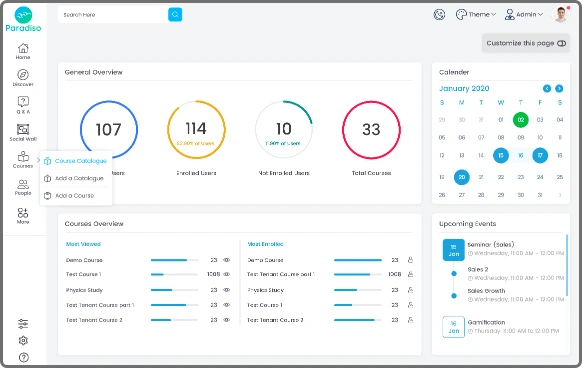
How to Create SCORM Courses Using Paradiso LMS

Before jump into How to create SCORM courses, let’s discuss SCORM compliant courses first. SCORM compliant courses can be created in any compliant eLearning authoring. These courses look like a simple Zip file, and one can easily publish them by a tool in SCORM format.
However, that Zip package contains a compliant course with all files needed to make that course run correctly in any SCORM-compliant learning management system. Here we are showing some steps to create a SCORM course in Paradiso LMS.
1. On the left menu, click on “courses” and choose the “create a course” option.
2. Type the course name, choose a category and write a description of the new course. Afterward, you can select the type that you would like your course to have. It could be self-paced, blended, classroom training, virtual class.

3. The last step is to choose an image for your course, and just like that, you have created a brand-new course.
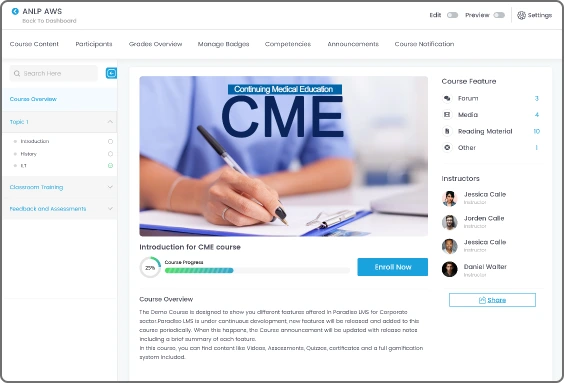
Paradiso LMS is SCORM compliant through which you can upload and deliver SCORM compliant courses quickly and easily. We have made three easy steps to create a course. You can try our free trial for more details.

xAPI (Experience API) Overview

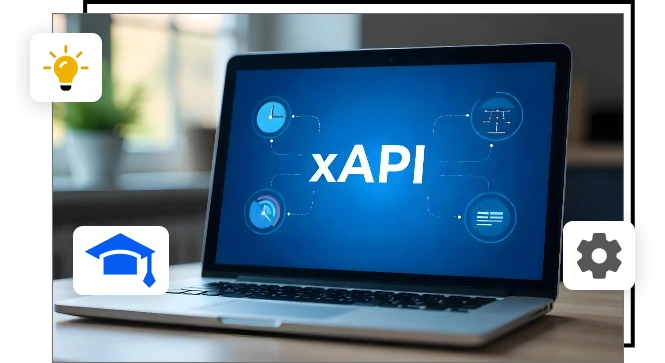
The Experience API (xAPI), also known as Tin Can API, is a modern specification designed to track and record learning experiences in a wide variety of environments. Unlike traditional Learning Management Systems (LMS) that rely on SCORM, xAPI provides a more flexible and robust framework for tracking learning activities both inside and outside the LMS. xAPI is the evolution of SCORM and allows organizations to capture a more comprehensive picture of their learners’ experiences.

Here’s an in-depth look at what xAPI is, its key features, and how it can transform your learning ecosystem.

What is xAPI?

xAPI is a specification that allows you to track and record all kinds of learning activities that happen across different devices and platforms. It enables the collection of learning data from a variety of sources such as mobile apps, simulations, social learning platforms, virtual classrooms, and even real-world experiences.

xAPI captures data in a “statement” format, which typically follows the structure of “noun-verb-object” (e.g., “John completed the cybersecurity course”).

The Learning Record Store (LRS) is at the heart of xAPI. It’s a database that stores all the learning records generated by xAPI. The LRS can be part of an LMS or operate independently, allowing organizations to collect, store, and analyze learning data from any system or tool that supports xAPI.
Key Features of xAPI

  • Tracks Learning Experiences Anywhere: xAPI can track a learner’s progress across various systems, applications, and devices. It goes beyond the boundaries of an LMS and can capture learning experiences from mobile devices, simulations, social platforms, and even real-world interactions.
  • Real-Time Data Collection: xAPI captures data in real-time, which allows for immediate feedback and insights into learner progress. This feature helps organizations improve learning strategies and adapt training programs quickly based on learner behavior.
  • Advanced Analytics: The data captured by xAPI can be analyzed to gain deeper insights into how learners are engaging with content. This helps organizations track trends, measure the effectiveness of training, and identify areas for improvement.
  • Scalable and Flexible: xAPI allows organizations to scale their learning programs across different teams, departments, and locations while ensuring the tracking of all learning experiences is centralized.
  • Interoperability: One of the major advantages of xAPI is its ability to integrate with different systems and learning tools. Whether you’re using an LMS, social learning platform, or any other learning system, xAPI can collect and report data from all of them.
  • Support for Blended Learning: xAPI is perfect for blended learning environments because it tracks both online and offline learning activities. This means that whether your learners are taking an online course or attending a live workshop, their learning data is captured.

Why Does xAPI Matter?

xAPI provides numerous benefits for organizations looking to improve their learning and development programs. Here’s why xAPI matters:
  1. Complete Learning Data: Traditional LMS systems like SCORM can only track online learning activities within the LMS. xAPI, on the other hand, tracks a learner’s entire journey, including off-the-grid experiences like classroom training, informal learning, and even self-paced learning through external tools.
  2. Improved Personalization: With data captured from a variety of learning experiences, xAPI enables more personalized learning paths. By tracking learner performance, organizations can tailor content to suit individual needs, ensuring a more engaging and effective learning experience.
  3. Better Analytics and Reporting: xAPI provides detailed reports about learner performance across different learning platforms. The data can be aggregated and analyzed in ways that were previously not possible with traditional LMS systems. This helps organizations make data-driven decisions to enhance their training programs.
  4. Supports Modern Learning Trends: With the growing use of mobile learning, social learning, simulations, and immersive environments like virtual reality, xAPI is an essential tool for tracking these modern forms of learning. It helps organizations adapt to the rapidly changing landscape of digital learning.

Benefits of Using xAPI

  • Better Tracking of Learners’ Progress: Whether learners are using an app, social platform, or learning on their own, xAPI tracks their progress across multiple systems and tools, offering a unified view of their learning journey.
  • Enhanced Learning Analytics: xAPI allows organizations to analyze learning data more comprehensively, from course completions to informal learning activities, which can drive better learning outcomes.
  • Improved Learning Personalization: xAPI helps organizations personalize learning experiences based on the detailed data collected about learner behavior and preferences.
  • Increased Engagement: By capturing real-time data, xAPI enables instant feedback and insights, which can enhance learner engagement and improve motivation to complete courses.
  • Flexibility and Scalability: xAPI provides flexibility by supporting a wide range of learning tools and experiences. This makes it a great solution for organizations with diverse learning ecosystems.

How to Implement xAPI in Your Learning Ecosystem

  • Choose a Learning Record Store (LRS): The first step to implementing xAPI is selecting an LRS, which will store the learning records generated by xAPI statements.
  • Integrate xAPI with Your Learning Systems: Whether you’re using an LMS, a content authoring tool, or a mobile learning platform, integrate xAPI with your existing systems to track learning experiences.
  • Develop or Convert Content: Use SCORM-compliant authoring tools or xAPI-compatible platforms to create content that will generate xAPI statements.
  • Start Tracking Learner Activities: Once the systems are integrated, you can begin tracking learner activities and progress across different platforms.
  • Analyze Data and Optimize: Use the data captured by xAPI to analyze learner behavior, identify knowledge gaps, and optimize your learning programs.

xAPI vs. SCORM: Choosing the Right Standard

When it comes to tracking and managing eLearning, two of the most talked-about standards are xAPI (Experience API) and SCORM (Sharable Content Object Reference Model). Both have their strengths, but which one is better for your needs depends entirely on your organization’s goals, infrastructure, and learning needs.

1. Flexibility

  • xAPI: By far the more flexible standard. It can track learning activities in any environment, online or offline. This means you can track not only formal eLearning but also things like simulations, social learning, mobile learning, and even in-person activities. xAPI allows for tracking across multiple platforms and even integrates with real-world events.
  • SCORM: Limited to tracked content within the LMS. SCORM is designed for tracking structured eLearning content like courses and quizzes. It can’t track real-world interactions, and it often struggles with mobile or informal learning scenarios. SCORM doesn’t capture data from outside the LMS environment (like on-the-job performance or social learning).

2. Data Tracking and Reporting

  • xAPI: Delivers rich, detailed data. With xAPI, you can track the full learner experience across various systems, from an LMS to mobile apps, social platforms, and even real-world performance. It provides data in a “statement” format like “John completed the sales training module” which can then be analyzed.
  • SCORM: Tracks only course completion and scores. The data is limited to what happens within the LMS, and it does not offer insights into real-world activities. For example, it won’t track if someone used the skills they learned during the training in a real-world scenario.

3. Integration with Other Systems

  • xAPI: Highly integrable with other systems. You can track learning from external apps, tools, websites, and systems. Whether it’s mobile learning, gaming, or a virtual classroom, xAPI will capture it. It’s designed to work across multiple platforms without any issues, allowing for advanced integrations and flexible tracking.
  • SCORM: Integration is more limited to SCORM-compliant platforms. SCORM tracks only eLearning that takes place within SCORM-compatible LMS platforms. Integrating SCORM with non-compliant systems or external tools is a challenge. SCORM doesn’t have the same level of flexibility for cross-platform data sharing.

4. Offline and Real-Time Tracking

  • xAPI: Can track offline activities and sync them once the learner is back online. For instance, a learner can do training while traveling and their progress will be synced to the system once they’re back online. This is ideal for remote workers or situations where internet connectivity is unreliable.
  • SCORM: Cannot track activities offline. SCORM relies on a continuous internet connection to report learner progress. If the learner disconnects or completes part of the course offline, the progress is not recorded until they’re back online and connected to the LMS.

5. Content Interactivity and Compatibility

  • xAPI: Can track and report on any content format – whether it’s a video, audio, simulation, game, or social interaction. You can also use it to track activities across multiple platforms and devices like mobile phones, VR, and even in-person classroom training.
  • SCORM: Primarily designed for linear, structured content such as video-based courses or quizzes. It doesn’t support interactivity to the same extent as xAPI and can only report on content hosted within a SCORM-compliant LMS. It is better suited for more traditional, structured eLearning modules.

6. Content Authoring

  • xAPI: Doesn’t require specific authoring tools and works with most content types, making it more versatile. You can track content created in tools like Articulate Storyline, Adobe Captivate, or even custom-built apps.
  • SCORM: Requires specific SCORM-compliant content authoring tools like Articulate Storyline, Adobe Captivate, or other tools that support SCORM output. If you want to create content that’s SCORM-compliant, you need to ensure that your authoring tool supports it.

7. Adoption and Learning Curve

  • xAPI: Being newer, xAPI has a steeper learning curve compared to SCORM, especially for organizations that are already familiar with SCORM. Implementing xAPI requires a Learning Record Store (LRS), which adds complexity.
  • SCORM: SCORM is widely adopted and easier to integrate into existing LMS systems. It has a simpler implementation for tracking online courses, but it’s limited to traditional eLearning use cases.

8. Standardization and Compliance

  • xAPI: xAPI is not a “one-size-fits-all” solution. While it offers greater flexibility, that means there can be more complexity in implementation and tracking. It is still evolving, and some organizations may find it harder to standardize their xAPI data.
  • SCORM: Being an older standard, SCORM is a well-established and highly standardized format. It is widely supported across various platforms and tools, and its limitations are well known. If you’re primarily working with traditional, structured online courses, SCORM may be the better choice.

Which One Should You Choose?

  • Choose xAPI if you need advanced tracking, flexibility across platforms, and insights from real-world and informal learning. xAPI is ideal for organizations looking for a comprehensive learning ecosystem with modern tools and a customizable learning experience.
  • Choose SCORM if you’re looking for a simple solution to track online course completion and you’re working primarily with traditional eLearning platforms. SCORM is perfect for structured learning paths but doesn’t offer the flexibility and features of xAPI.
SCORM LMS can simplify your online learning process

Make the right choice for your eLearning

In this article, we have explained what is SCORM and deep-dived on how SCORM-compliant LMS is necessary for a smooth online training program. Let’s explain this by a straightforward example, have you ever tried to open a file on your computer, but you couldn’t because the software didn’t support the format? Likewise, if you are trying to open an eLearning course in your LMS but you can’t because you’re learning software doesn’t support the format. In such a case, the companies cannot spend ample time and money reformatting the eLearning material to run it on individual learning systems. The SCORM compliant LMS can help to solve this problem as it can easily comply with various LMS.

It’s standard has been widely used in the eLearning industry for quite a long time. But new eLearning standards like xAPI is being adopted quickly in the industry.

Deciding whether to invest in SCORM or not is a confusing decision. SCORM courses tend to provide an engaging learning experience. It depends on the type of training you want to deliver, learning goals, L&D strategies, and your budget. If you are a professional training company, you can invest in it and get better ROI.

Tin can, also known as xAPI, also comes up with many advantages and suits to the current eLearning environment. xAPI is reliable, tracks better, and provides richer data. Most of the authoring tools are now supporting xAPI, and if you are using SCORM now and planning to use SCOM for some years, you will still be able to convert courses into a tin can in the future.

You will have to dive deep into the technical nuts and bolt to make an informed choice of a SCORM compliant LMS. It is necessary to check which version is provided and does the authoring tools create SCORM compliant courses or not? One of the best LMS platform, Paradiso Solutions comes up with SCORM 1.2 and SCORM 2004 versions.

It has integrated SCORM authoring tool which allows you to create SCORM content or courses and upload it to an LMS in just few clicks. You can try free demo for more details.

Share This :

Table Of Content

Try AI Roleplay Simulation
for Business Use Cases

50+

SCENARIOS

Real- time

AI FEEDBACK

10K+

USERS

Free eLearning Authoring Tool

Create Courses in Minutes – Free!

With CogniSpark AI, turn your ideas into interactive eLearning with AI voiceovers, SCORM support, and video creation – no skills needed.

No thanks, I’ll try later.

Free Tools for L&D Professionals

Don’t Leave Without Free L&D Tools!

Create engaging courses, convert presentations, and generate videos with Paradiso’s free AI tools for L&D professionals.
No thanks, I’ll try later.
Product Tour

See Paradiso LMS in Action!

Take a free, no-pressure tour to explore admin, manager, and learner dashboards, plus AI-powered course creation.

No thanks, I’ll try later.

Free LMS

See The Free LMS In Action?

Get a personalized walkthrough of our powerful, yet completely free, Learning Management System. See how easy it is to train your team.

No thanks, I’ll try later.

Course Catalog

Don't Miss Free eLearning Content!

Access a vast library of professional course with certificates in Paradiso’s Course Catalog – start learning today.


WhatsApp Chat